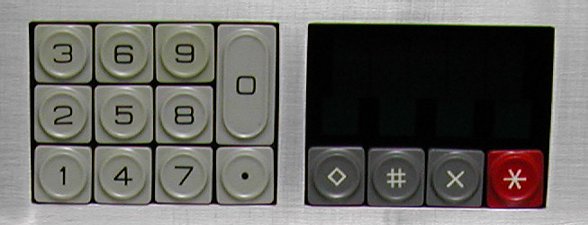
The Tactical subsystems takes care of the following functions.

| When all Location buttons and any Function button(s) are pressed and "TFR" is pressed again, the 'help' text is shown and the TFR button lamp is turned off. |
| TFR Function code Location code EXEC |
|---|
        offensive tactical FUNCTION / LOCATION codes

                 coordinates    object
 PHASERBANKS         010         011     000 = by TACTICAL
 PHOTON TORPEDO      100         101                computer
 ANTI-MATTER PROBE   110         111     xxx = specified
                                                  by entry

        defensive tactical FUNCTION / LOCATION codes

 DISPLAY SHIELD      000     LOC: 111=all , xxx=specified
 LOAD SHIELD         001     LOC: 000=all , xxx=specified

               LOCATION codes description
     001 - fore          011 - aft      101 - top
     010 - starboard     100 - port     110 - bottom
...............................................................

...............................................................
|
Star Ship locations
As you can see, all commands have the option to specify a specific location.
The location is one of the sides of the Star Ship. For example, if you want to fire a phaser you must know at what
side the target is relative to the Star Ship. If you select the wrong phaserbank it is obvious that you will not
inflict any damage onto the target.
Firing a photon torpedo or an anti-matter probe from a launch tube that is not directed towards the target is not a
problem as the missile plots its own trajectory to the target coordinates. The impact effect, however, can be less
effective because of the travelled distance. The further away the target, the less effective the weapon becomes.
It is possible to let the Tactical Computer determine the best choice what
phaserbank to use. The penalty is that this will use some extra resources. The amount of energy of the Dilithium
crystals is not limitless...
 | port | top |  | |
 | starboard | bottom |  | |
 | fore | aft |  |